mintwork / whatbroke
Why did CI fail? See only what changed
whatbroke compares a failed job with the last run that passed and shows only the lines that are new, failure first. In your terminal, as a PR comment, or for your coding agent.
npx -y @mintwork/whatbroke   # the latest failed run on this branch
npx -y @mintwork/whatbroke <run or job URL>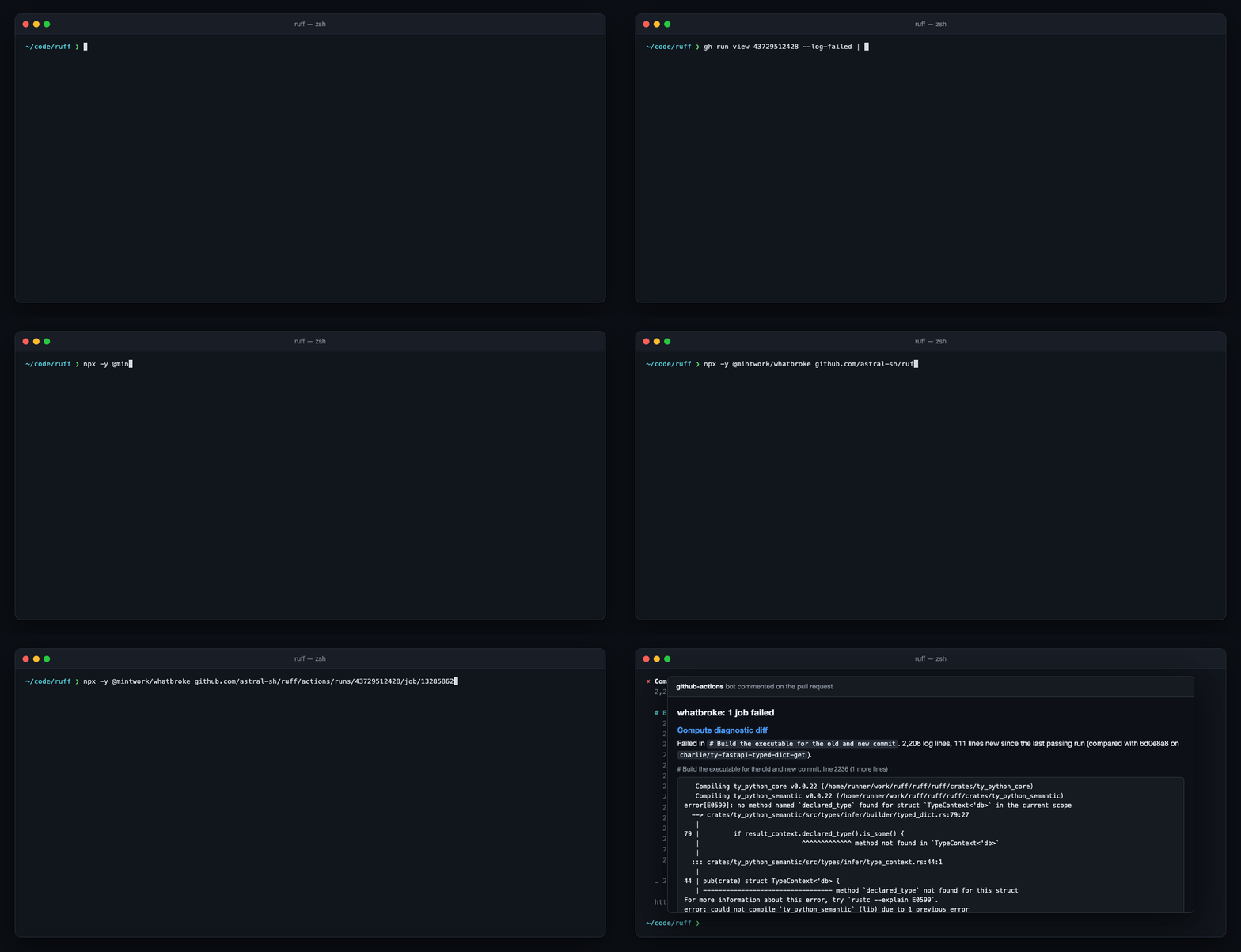
The problem
A failed CI job is thousands of lines: dependency installs, download progress, deprecation warnings, every test that passed. The end of the log, where people and agents look first, is usually cleanup. GitHub's red annotation says "Process completed with exit code 1".
Most of those lines were also in the last run that passed. whatbroke hides everything the two runs share and shows what's left, so the failure is the first thing you read.
What it does
Compared with the last green run
Finds the latest passing run of the same job by itself, on your branch or the default branch, and diffs the two logs. Matrix jobs match even when a version in their name changed.
Failure first, in 40 lines
New lines are grouped into blocks, repeats are dropped, and failure headers (FAIL, error[E…], AssertionError, Traceback) rank above summaries. Long stack traces keep their first frames.
A PR comment, also for forks
The What Broke in CI Action comments when CI fails and updates the same comment next time. It reads logs only and never checks out fork code.
Built for coding agents
--agentprints plain lines with line numbers: about 2% of the tokens of the full log, with the cause still in it.Re-run or fix?
Infrastructure failures (DNS, 5xx, runner timeouts, rejected tokens, used-up quotas) are labelled with what to do, so you don't debug the network.
Measured, not promised
On 28 real failures from 10 projects it had never seen, the cause was in its 40 lines for 27. The last 40 lines of the log: 10.
As a PR comment
Add a workflow that runs when your CI fails:
on:
  workflow_run:
    workflows: [CI]
    types: [completed]
permissions:
  actions: read
  pull-requests: write
jobs:
  explain:
    if: github.event.workflow_run.conclusion == 'failure'
    runs-on: ubuntu-26.04
    steps:
      - uses: mintwork/whatbroke@v0
For your coding agent
Tell it in AGENTS.md or CLAUDE.md:
When a CI run fails, run `npx -y @mintwork/whatbroke --agent`
and start from its output instead of reading the full job log.
How is this different?
Copilot's "explain error" and AI CI-fixers send your log to a model and summarize it. whatbroke doesn't guess: it shows the exact lines that changed since the last green run, offline, in a few seconds, with no account or API key. Use both: give the AI whatbroke's 40 lines instead of the whole log. The benchmark shows how it was measured, misses included.
Open source, MIT licensed
Built in CI and published to npm with signed provenance. The full docs, changelog and issues are on GitHub.