mintwork / wcag-audit-skill
WCAG 2.2 accessibility audit for AI coding agents
AI ships inaccessible UIs. This makes your agent find the barriers, verify each one, and fix them with minimal, explained changes.
npx @mintwork/wcag-audit-skill scan ./src                  # static source scan
npx @mintwork/wcag-audit-skill scan http://localhost:3000   # real-browser scan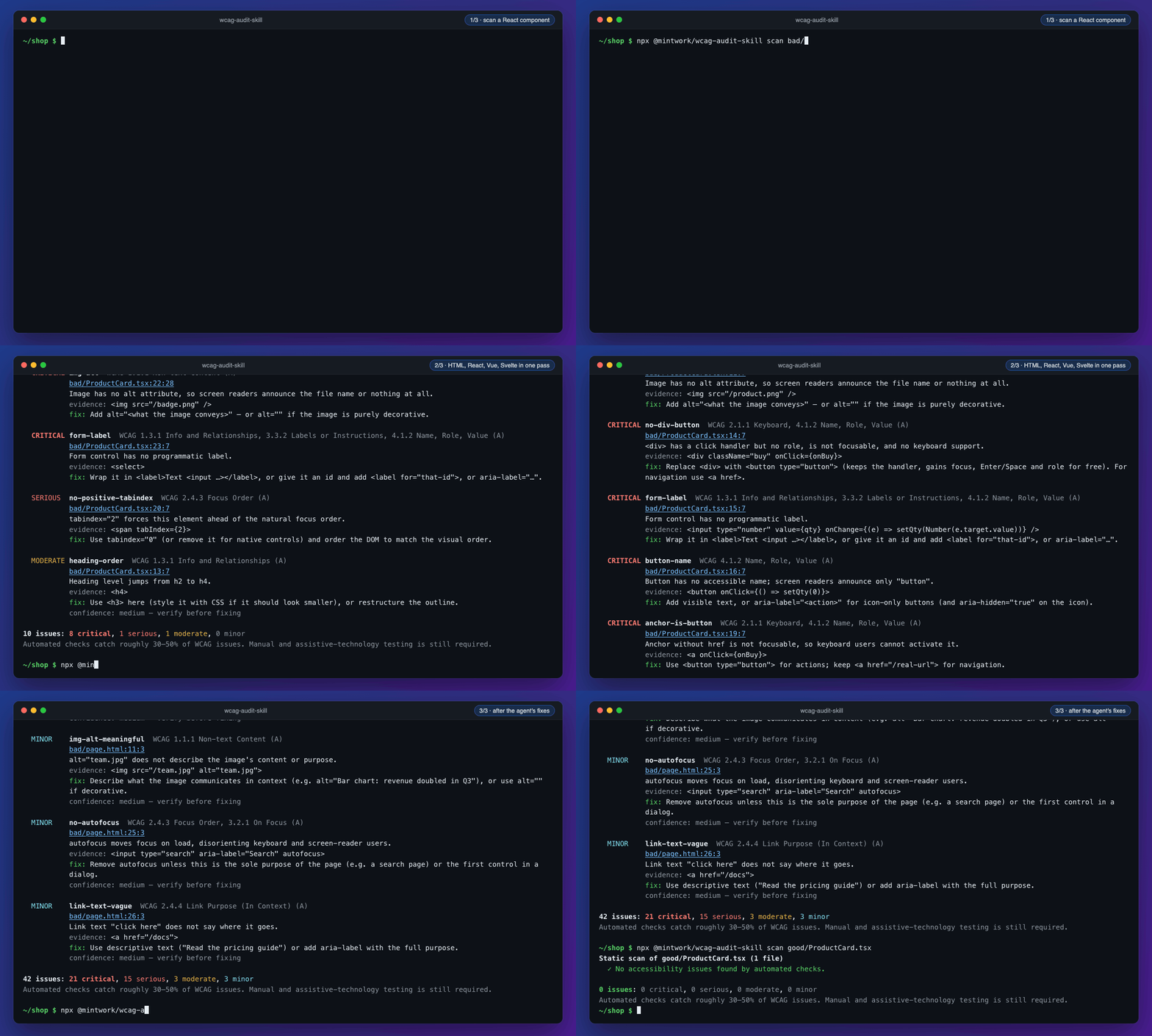
The problem
Ask an agent for a checkout form and it looks fine. A blind user hears "edit text, button, image". A keyboard user can't reach the Pay button at all. Roughly 95% of the top million home pages have detectable WCAG failures, and models learned from them.
Install the skill and say "audit this for accessibility and fix it". The agent runs a phased audit: static scan, real-browser scan, adversarial verification, fixes, and a report.
What it does
Static scan, many frameworks
30 rules for HTML, React (JSX/TSX), Vue, Svelte, Astro, Angular, MDX and CSS, including Tailwind contrast and focus styles.
Real browser
Runs axe-core in Chromium and tabs through the page to catch keyboard traps and invisible focus, across states like open dialogs and dark mode.
Verified findings
Every candidate is re-checked to disprove it: confirmed, needs your input, or rejected, with the evidence written down.
Minimal fixes
Native HTML first, in your framework's idiom. Visual or copy changes need your OK, and it never invents alt text.
CI and code scanning
SARIF output, a CI baseline that fails only on new findings, and the WCAG Accessibility Audit Action.
Honest limits
Automation finds part of WCAG. Reports always list what still needs a human: a screen-reader pass, zoom and reflow, captions.
Install
Claude Code:
/plugin marketplace add mintwork/wcag-audit-skill
/plugin install wcag-audit@wcag-audit-skill
Any skills-compatible agent:
npx skills add https://github.com/mintwork/wcag-audit-skill --skill wcag-auditGitHub Action
Findings appear as pull request annotations and under Security → Code scanning:
- uses: actions/checkout@v7
- uses: mintwork/wcag-audit-skill@v0
How is this different from axe or a linter?
eslint-plugin-jsx-a11y covers one framework with no browser and no fixes. axe and Lighthouse are runtime only, with no source locations. This uses axe-core under the hood, covers eight template languages, maps runtime results back to source, and drives an agent to fix and re-verify.
Open source, MIT licensed
Built in CI and published to npm with signed provenance. The full docs, changelog and issues are on GitHub.